3 Even-Spacing Solutions in SwiftUI.
(One might allow you to even get rid of some of your Spacer views.)
Thursday, June 11, 2020

Thursday, January 9, 2020
The Number One SwiftUI Animations Concept? (iOS, Xcode 11, Swift 5)
In this quick video, you're going to learn how the concept of animations has dramatically changed in SwiftUI. SwiftUI animations can be easy but first, you should understand the CONCEPT of how they work.
THIS WILL BE YOUR FOUNDATION OF HOW SWIFTUI ANIMATIONS WORK.
After this, you will just be building on this SwiftUI animation concept to the point where it becomes natural.
Friday, January 3, 2020
Sneak Peek at the Second SwiftUI Transition Animation Challenge
Here is another sneak peek at a challenge to readers of the #SwiftUI Animations Mastery book. You have to put this together using nothing but transitions. 😲

Transitions can:
You will be able to do this challenge easily after going through this chapter on transitions. 😉👍
Animations are fun! Get started with my FREE book today: https://www.bigmountainstudio.com/swiftui-animations-free


Transitions can:
- Save you a lot of time
- Work on any size device without you having to do any extra work
- Can be combined together
- Can be customized so you can have a different animation when the view is added and another animation when the view is removed.
You will be able to do this challenge easily after going through this chapter on transitions. 😉👍
Animations are fun! Get started with my FREE book today: https://www.bigmountainstudio.com/swiftui-animations-free

Monday, December 30, 2019
Who wants a SwiftUI Transition Animation Challenge?
SwiftUI Challenges
In the SwiftUI Animation books, I issue challenges at the end of the chapters. The goal is to:
Here is a challenge at the end of the chapter on SwiftUI Transitions.
Challenges range in difficulty. Some are easy and some are more difficult.
This may seem easy but remember, you have to use transitions to accomplish this. And the timing has to be correct too. You should see one transition first and then the second one start before the first has ended.
What's tricky is you have to take into account distance traveled when it comes to animations and timing.
Want to get started with SwiftUI Animations for free? Then get my SwiftUI Animations Quick Start book!
You will go from complete beginner and understand the basic animation concepts in SwiftUI to making your app look it's best in no time using my custom teaching method and plenty of videos for each code sample.

In the SwiftUI Animation books, I issue challenges at the end of the chapters. The goal is to:
- Teach some concepts with plenty of video examples and reusable code samples
- Take you through a step-by-step exercise
- Summarize what you just learned
- Quiz you on some key points
- Challenge you to build something with criteria
Here is a challenge at the end of the chapter on SwiftUI Transitions.
Challenges range in difficulty. Some are easy and some are more difficult.
This may seem easy but remember, you have to use transitions to accomplish this. And the timing has to be correct too. You should see one transition first and then the second one start before the first has ended.
What's tricky is you have to take into account distance traveled when it comes to animations and timing.
Want to get started with SwiftUI Animations for free? Then get my SwiftUI Animations Quick Start book!
You will go from complete beginner and understand the basic animation concepts in SwiftUI to making your app look it's best in no time using my custom teaching method and plenty of videos for each code sample.
Sunday, December 29, 2019
Want to learn more about SwiftUI Transition Animations?
Here is an exercise I take you through step-by-step when learning about #SwiftUI transition animations.
Think animations in apps are cool? 😎
Get started with my FREE SwiftUI Animations book: http://bit.ly/2u518LH
More Details:
Here are all the individual animations and transitions that make up this completed animation. There are a lot of them!
1. “Ready to travel?” Transition: move to leading. Animation: ease out over 1.1 seconds.
2. Image transition: move to leading. Animation: ease in over 1 second.
3. “Let’s go!” Text and shape behind it use the same transition: move to leading but they use two different animations:
a. Text animation: ease in out over 0.6.
b. Shape animation: ease out over 0.6 seconds to give it the appearance of having a different speed.
4. First red button will rotate 180 over 1 second with an easeOut animation.
5. Second red button transition: move from trailing combined with opacity. Animation: easeOut over 1 second (uses the same animation as the first red button.)
Screen 2
1. “Where do you want to go?” transition: move from top. Animation: easeOut over 0.8 seconds.
2. Info VStack transition: move from trailing. Animation: ease in over 1 second.
3. Airplane image transition: move in from bottom. Animation: ease out over 0.8 seconds.

Friday, December 27, 2019
What are SwiftUI Transitions and How Do You Use Them?

The word “transition” means the process of change from one state to another.
Transitions are pre-made instructions you can apply to views that tells the view two things:
- How to be inserted into the screen.
- How to be removed from the screen.
Just a transition on a view will have no effect.
It’s up to you to also supply an animation.
It is important to note that a view with a transition and animation will still have no effect.
No, you have to add the view that has the transition to the screen (and optionally remove it from the screen) to see the effect.
So, every view with a transition needs 3 things:


Want to know more about SwiftUI Animations?
Get started with SwiftUI Animations with this free book: https://www.bigmountainstudio.com/swiftui-animations-free
Tuesday, December 10, 2019
Learn SwiftUI Animations Through Challenges?
Here’s the challenge I put together for you guys to solve using what the chapter on Spring Animations taught you!
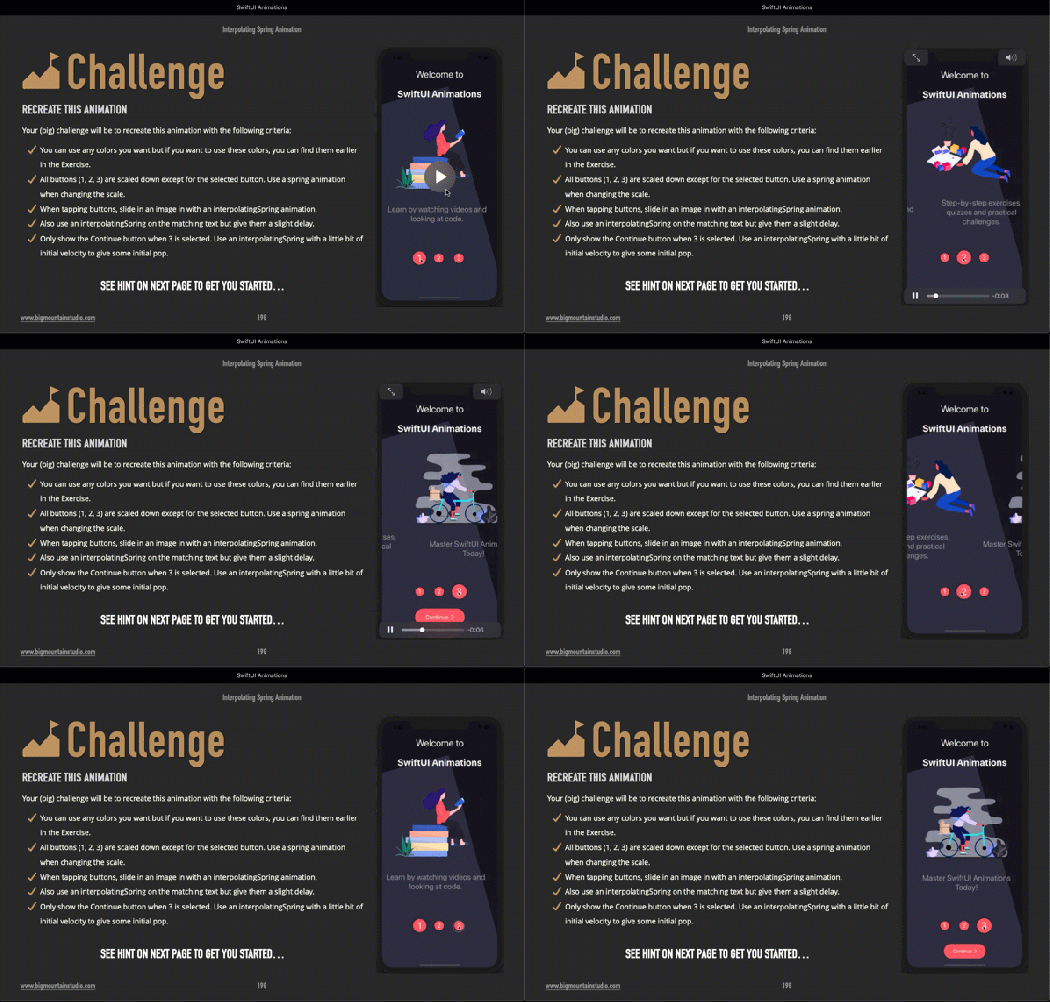
In the book, SwiftUI Animations, I guide you through animations, options, parameters, plenty of examples, all through the use of real code AND VIDEO examples.
This is a textbook.
That means:
- I teach you with examples so you can SEE the code and the video examples together.
- I walk you through practicals so you know how to build up the animation from the ground up so you can get real, hands-on experience.
- Read the summary that touches upon the most important parts of the chapter. The more times you see something, the more you’ll remember.
- Answer questions in the quizzes to get you thinking through problems with what you just learned.
- Then you move on to the challenges and see if you can push yourself accomplish some cool animations with SwiftUI.
Subscribe to:
Posts (Atom)
SwiftUI Search & Filter with Combine - Part 3 (iOS, Xcode 13, SwiftUI, 2...
In part 3 of the Searchable video series, I show you how to use Combine in #SwiftUI for the search and filter logic connected to the searcha...

-
 This post visually shows the stack view's Alignment and Distribution property settings. There is also a section on resolving auto layou...
 -
 I couldn't find a tutorial on this so this is my documented journey into trying to figure out how to implement OAuthSwift into an iOS p...
 -
 I had someone ask about aligning text within a TextField view and I didn't have a page in my book for this but added one just now. ...