In part 3 we will be looking at different ways you can organize your thoughts and ideas in order to get your app built. Writing things down will lead you to organization. Then organizing will lead to action!
You will learn what a minimum viable product is and how we use our tools to separate out what we will and won't do for version one of the app.
Saturday, March 31, 2018

Saturday, March 24, 2018
Itinerary App - Part 2.2 - Source Control for Beginners (iOS, Xcode 9, S...
This is chapter 2 of the Source Control part of the Itinerary App Series. Using Xcode we will be exploring what branching and merging are in Git.
Source Control for Beginners Chapter 1: https://youtu.be/3zErxtbrB2I
Source Control for Beginners Chapter 1: https://youtu.be/3zErxtbrB2I
Monday, March 19, 2018
Itinerary App - Part 2.1 - Source Control for Beginners (iOS, Xcode 9, S...
In this video we are going to explore what "source control" or "version control" is. We will look at two options for Source Control: GitHub and Bitbucket. We're going to pick one and connect our project to it.
Then we'll also explore the built-in features for source control/version control inside of Xcode 9, view our changes and make commits to our local and remote repositories.
This video is for absolute beginners who are not familiar with source control and may have never connected a project to an external source control provider.
Then we'll also explore the built-in features for source control/version control inside of Xcode 9, view our changes and make commits to our local and remote repositories.
This video is for absolute beginners who are not familiar with source control and may have never connected a project to an external source control provider.
Monday, March 12, 2018
Itinerary App - Part 1 - Introduction (iOS, Xcode 9, Swift 4)
This is the beginning of a series of videos in which we start a project to build an Itinerary app in Xcode using Swift. We will explore the creation process including some project management, managing a code repository, design, icons, coding, and so on.
This is the introductory video that introduces this mini-course of iOS app project management and development. We will be covering a variety of topics that are all included in the process of building an app.
All we will be doing in this video is simply creating a starting project and getting it ready for the next steps. Welcome to the course!
Note: I may create another series afterwards that explores different data sources to plug into this app. Stay tuned and we will see!
This is the introductory video that introduces this mini-course of iOS app project management and development. We will be covering a variety of topics that are all included in the process of building an app.
All we will be doing in this video is simply creating a starting project and getting it ready for the next steps. Welcome to the course!
Note: I may create another series afterwards that explores different data sources to plug into this app. Stay tuned and we will see!
Sunday, February 18, 2018
UITableView Row Swipe Actions (iOS, Xcode 9, Swift 4)
Since iOS 11 you now have built-in support to swipe your UITableViewCell right or left and be able to add multiple buttons or "actions" to the cell.
Watch this video to learn how to add swipe actions no matter which way you swipe. I also show you the new way to swipe to delete. You will learn how to change color and add icons as well as enabling or disabling the full swipe feature.
As a bonus, you will also learn why the term "leading" and "trailing" are used instead of "right" and "left" and how to configure your project to simulate a language that reads from right to left.
Watch this video to learn how to add swipe actions no matter which way you swipe. I also show you the new way to swipe to delete. You will learn how to change color and add icons as well as enabling or disabling the full swipe feature.
As a bonus, you will also learn why the term "leading" and "trailing" are used instead of "right" and "left" and how to configure your project to simulate a language that reads from right to left.
Saturday, February 10, 2018
Memory 4 - Fixing Common Memory Problems: Reusable Popups (iOS, Xcode 9,...
This one video is the end of the Reusable Popups and the Swift Memory Mastery series. Ending both series in one video.
Before I could teach how to fix common memory problems in the Reusable Popups project I first had to teach you how to become masters of Swift Memory!
In this video you will be learning common mistakes, leaks, and other memory problems with:
* NotificationCenter
* Callbacks
* Delegates
And you will learn how to view or graph out memory problems and how to pick out which way to fix it. There are always multiple solutions.
You will gain better understanding of:
* Memory leaks
* Retain cycles (circular references, reference cycles)
* Automatic Reference Counting
* Weak and Unowned keywords
Before I could teach how to fix common memory problems in the Reusable Popups project I first had to teach you how to become masters of Swift Memory!
In this video you will be learning common mistakes, leaks, and other memory problems with:
* NotificationCenter
* Callbacks
* Delegates
And you will learn how to view or graph out memory problems and how to pick out which way to fix it. There are always multiple solutions.
You will gain better understanding of:
* Memory leaks
* Retain cycles (circular references, reference cycles)
* Automatic Reference Counting
* Weak and Unowned keywords
Thursday, January 18, 2018
Memory 3 - Fixing Memory Leaks in Closures with Capture List (iOS, Xcode...
Swift Memory Mastery Series - Part 3
Don't worry if you don't know what a closure or capture list is. This video will teach you.
You will learn:
* What closures are
* How to pass data into closures
* How closures can obtain values outside of themselves
* How to explicitly pass data into closures
* How to change the strength of the value coming into a closure to weak or unowned
* How to create a memory leak (retain cycle) with closures (very common)
* How to fix closure memory leaks with capture lists
* Understanding memory leaks in closures
Don't worry if you don't know what a closure or capture list is. This video will teach you.
You will learn:
* What closures are
* How to pass data into closures
* How closures can obtain values outside of themselves
* How to explicitly pass data into closures
* How to change the strength of the value coming into a closure to weak or unowned
* How to create a memory leak (retain cycle) with closures (very common)
* How to fix closure memory leaks with capture lists
* Understanding memory leaks in closures
Subscribe to:
Posts (Atom)
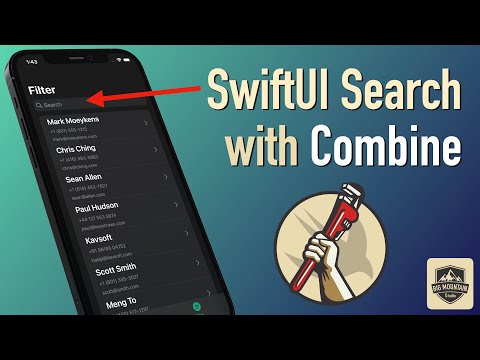
SwiftUI Search & Filter with Combine - Part 3 (iOS, Xcode 13, SwiftUI, 2...
In part 3 of the Searchable video series, I show you how to use Combine in #SwiftUI for the search and filter logic connected to the searcha...
-
 This post visually shows the stack view's Alignment and Distribution property settings. There is also a section on resolving auto layou...
-
 I couldn't find a tutorial on this so this is my documented journey into trying to figure out how to implement OAuthSwift into an iOS p...
-
 I had someone ask about aligning text within a TextField view and I didn't have a page in my book for this but added one just now. ...