Sunday, November 17, 2019

Fun with SwiftUI's GeometryReader - Part 1: Introduction


Creating another blog series!

Here's the first post on GeometryReader. Learn what it is and what you can do with it. It's super powerful and very cool!

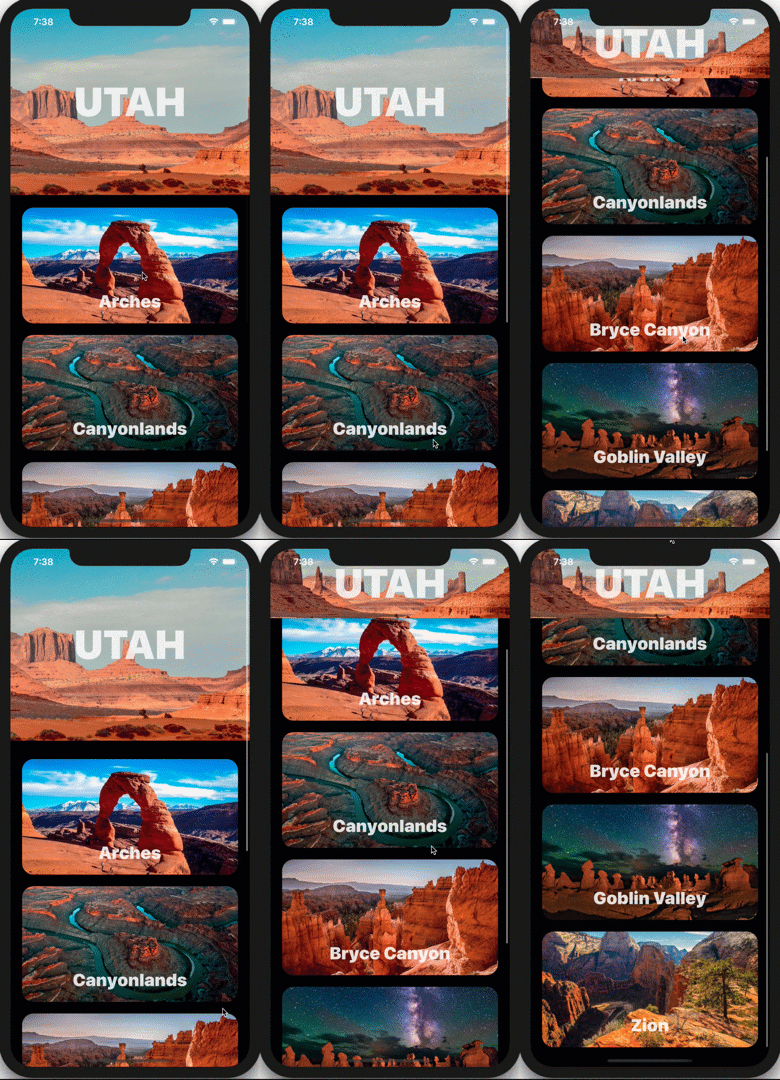
Follow this series. You're going to learn how to create a parallax effect with the GeometryReader:


 You will also learn how to create this "sticky header" effect:
Friday, October 25, 2019

SwiftUI: ToggleStyle - The Completely Customized Toggle


To completely customize the #SwiftUI Toggle view's colors, you're going to have to reconstruct it. I show you one way to do this in the SwiftUI Views book.

In the example above, I'm using a custom ToggleStyle (ColoredToggleStyle) that reconstructs the Toggle view so I can customize the colors any way I want.

My patrons have access to the full code.

Full Code: https://www.patreon.com/posts/31036259
Free Book Sample: https://www.bigmountainstudio.com/free-swiftui-book

Thursday, October 24, 2019

SwiftUI: ToggleStyle Customization with isOn


Toggle customization! The code isn't displayed in this pic (next page) but you can use the #SwiftUI ToggleStyle and access the isOn property to determine how you want to represent that state. (2 different views.)

Full Code: https://www.patreon.com/posts/31009020
Free Book Sample: https://www.bigmountainstudio.com/free-swiftui-book

Wednesday, October 23, 2019

SwiftUI: ToggleStyle


Yesterday you go the intro into a Toggle in #SwiftUI. But what about more customizations? You can use the ToggleStyle to BEGIN some customizations.
Code: https://www.patreon.com/posts/30984097
Free Book Sample: https://www.bigmountainstudio.com/free-swiftui-book

"That's it?"
For the actual Toggle, yes.
But stick around and tomorrow you will see how to take ToggleStyle to the NEXT LEVEL implement your OWN custom Toggle. (I'm saving the best for tomorrow and the day after.) 🚀

Wednesday, October 16, 2019

SwiftUI: TextField Alignment


I had someone ask about aligning text within a TextField view and I didn't have a page in my book for this but added one just now.

I've been adding pages and updates. I'll try to get a new copy up on the site tonight: https://www.bigmountainstudio.com/swiftui-views-book

Monday, October 14, 2019

SwiftUI: 3D Rotations that have Depth


Give your rotations "depth" by adding a Z-axis value along with X and Y values.
You can read and see more examples here: https://www.bigmountainstudio.com/members/posts/11520-swiftui-adding-depth-to-your-3d-rotations

This wraps up the series! Hope you liked it 😃


By the way, did you know you can sign up and get these tips delivered to your inbox? Join the Big Mountain Climber's Camp: https://www.bigmountainstudio.com/climbers

SwiftUI Search & Filter with Combine - Part 3 (iOS, Xcode 13, SwiftUI, 2...

In part 3 of the Searchable video series, I show you how to use Combine in #SwiftUI for the search and filter logic connected to the searcha...
